
lIVING pAGE
First off, this page will be the home for all things Project Cooper. What I mean by "living page" is that this page will continue to grow and evolve as the project does, so while I am making video devlogs that will be included on this page, we can consider this page my dev "diary".
Project Cooper; A love letter
A struggle that I've never had to go through is not knowing what I wanted to do when I got older, because as far back as I can remember, I've been getting lost in video games. Growing up, things weren't exactly peachy for me. Not terrible per se, but I still went through a lot that a child shouldn't have to go through. However, in the midst of everything that was happening in the real world, I could always escape for a few hours and block everything else out to play Ratchet & Clank or Sly 2 & 3. Perhaps as an adult, this isn't the healthiest way of dealing with things, but as a child, I took every chance to escape that I was given. In doing so, as far back as five years old, I knew I wanted to give someone else that chance to escape when I got older. By five, I knew I wanted to make games.
Those two game series have served as the inspiration for over 90% of my projects, from Project Serval to CLOE & Finch, to nearly all the unnamed projects in between, and while one of those IPs is still getting attention, the other has long been forgotten by the masses. Well, I want to change that. A little over a month ago, as I'm writing this, I started working on Project Cooper, an attempt to rebuild the Sly Cooper games from the ground up in Unreal Engine 5. In that first month, I could afford roughly two weeks of my time to dedicate to the project, and even after only fourteen days of work, I feel extremely confident in the direction things are headed.
With Project Cooper, I wanted to do things a bit differently. First off, I want to record and publicise the process. While I have no intentions of distributing this project (unless I can obtain explicit permission from the rights holders), I do want to hopefully spur some excitement for the Sly franchise again. Hopefully, in doing so, I can drum up enough attention that Sucker Punch catches wind and decides to "pick up the torch" again. Secondly, I want to focus in and catch as MANY details as possible. For the seemingly few of us that hold Sly near and dear to our hearts, the little things in those games mattered a ton, and I want to make sure I can do right by the franchise's preexisting fanbase.
I do need to clearly state, however, while I again have no intentions of releasing the project, its files, or using/distributing ANY original assets from the IP, if, for whatever reason, Sucker Punch or Sony feel like I'm infringing on their IP rights and ask me to stop, things will unfortunately come to a screeching halt. My goal is to bring attention to the desire for a Sly reboot, and hopefully impress Sucker Punch, not to step on any toes.
BUT anyway! Thats enough rambling for now, lets actually take a look at Project Cooper...


wEEK oNE
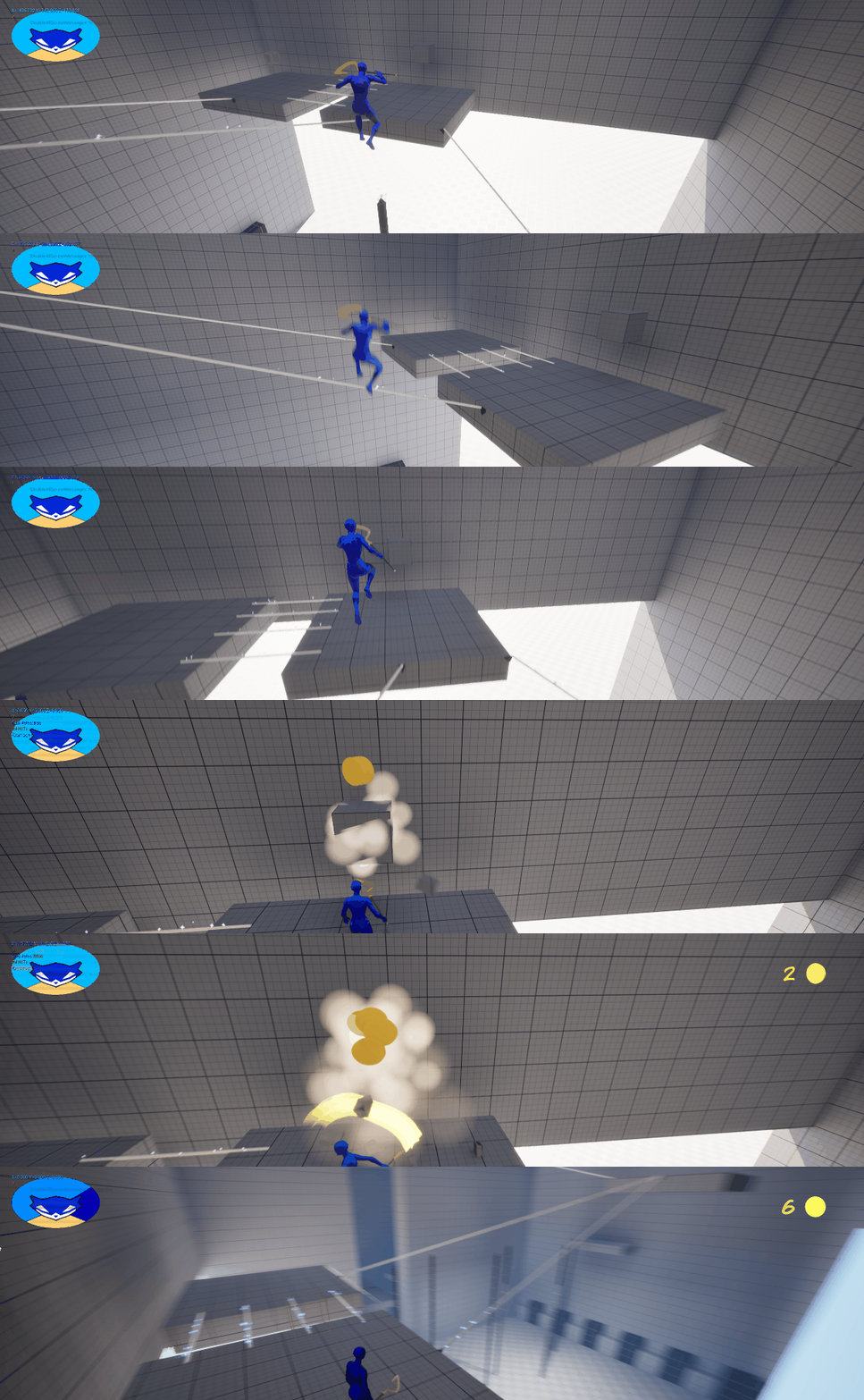
Jumping right into things, the first thing I needed to get to work on was the character. As in any game with "platforming elements," this is generally where you want to spend a lot of your time, because the player is likely to spend more of their time with it than with anything else. With that in mind, I opened up Sly 3 and got to analysing, recording, and taking screenshots for later, but ultimately searching through every frame to compile a list of every tiny detail I could catch. From the way Sly Jumped, to the way his camera would respond to player movements and actions. After spending some time replaying the game and getting comfortable with how everything felt, I opened my toolbox, Unreal Engine, and got to work.
Day one's results probably would be boring and uneventful to the untrained eye, but behind the scenes, things were already cooking. After one day, I felt I had almost completely matched the camera system from Sly 3 (save for a few minor tweaks). When the player would jump, the camera would attempt to hold steady until/unless the player landed on a different z level (higher or lower ground). I had even managed to get this system to work when the player falls a long distance, following the character if they leave the camera's view.
Day two, I started on the player interaction system. While again, visually, kind of boring, on the backend, it was incredibly exciting. I managed to build out a simple and robust, yet fairly performant, interaction system. It could grab the closest interactable to the player and make sure certain interactables would only be called if the player was in the air or not.
Day three was when I began working on the first interactable, and perhaps one of the most iconic from the Sly games: The tightrope. While I did have a bit of experience building a tightrope mechanic from Project Serval, I knew I would have to step it up for this project. The end result in Project Serval was a "sticky" buggy mess, and I couldn't have that in a long-term project. So I went back to the original tutorial I found for Project Serval, rebuilt it from the ground up, and almost completely overhauled it to fit into Project Cooper. This took me roughly three working days to iron out fully.
Day six was mostly building out the test map, some minor bugfixing, and playtesting. Day seven, however, I wanted to get some PFI in place for the tightropes. (player-facing information; things like SFX and VFX in response to actions of the player, or to inform or encourage them gently) Sucker Punch's choice? Stealth Aura. I dove headfirst into Unreal's Niagara system, with the documentation (and the new Unreal Assistant) by my side, I cracked it wide open. I doodled up a quick sprite, imported it into the Niagara emitter and... it worked! From there, it was just tweaking parameters to make it look how I wanted it! By the end of day seven, I had a fully functional (and shnazzy) stealth aura effect. I had a small bug in the logic that attached the emitter to my tightropes, but I'll solve that tomorrow.
wEEK Two
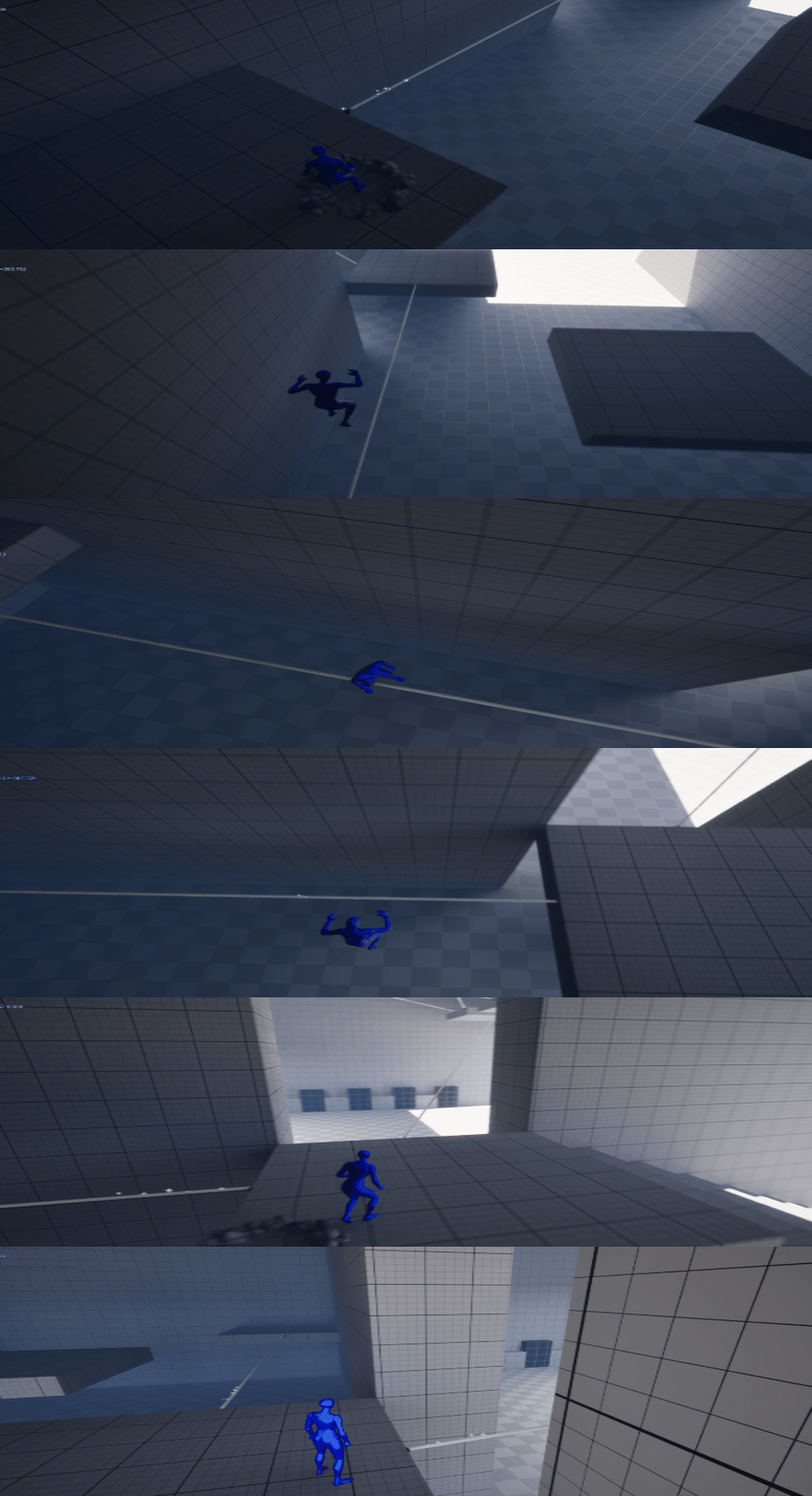
On day eight, I hit the ground running. I fixed the bug from the day prior (I'm still not sure exactly what was wrong; I just fully rewrote the function that checked if it was "in bounds" on the tightrope), added in a ledge grab mechanic, and started work on the Ninja Spire Jumps. Day Nine was the day I realized that I could actually do this. I finished up the spire jumps and polished the Stalth Aura a bit, but this was the first day when, in playtesting, it actually felt like Sly. Not gonna lie, I got a bit emotional here. I had a fire light up under me like never before.
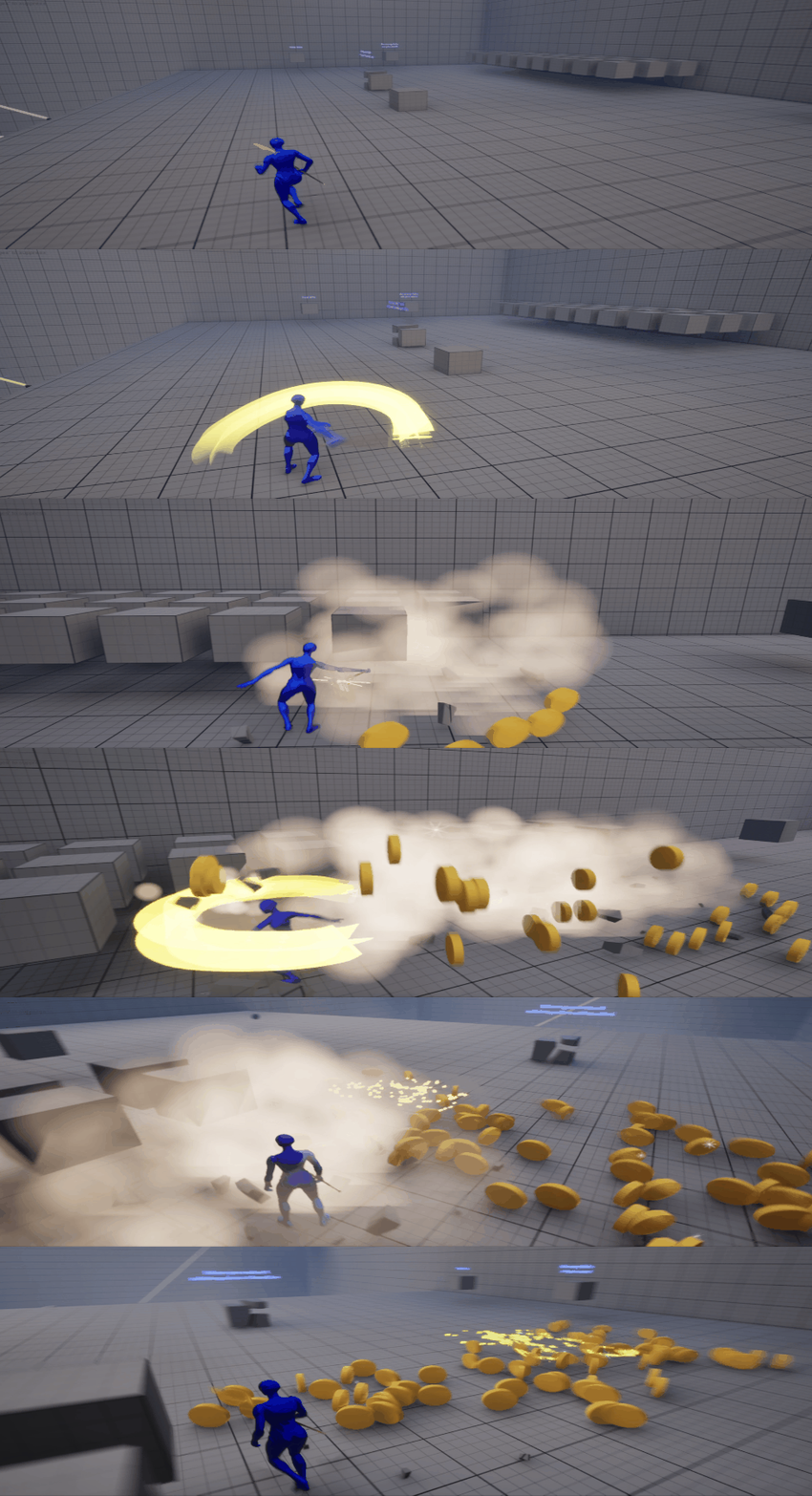
I rushed into day ten headfirst, carrying my momentum from the day prior. Knowing that I could repurpose the tightropes or spire jumps into a LOT of other mechanics, I wanted to move on to another important "basic" mechanic: The melee system. For now, I whipped up a simple stick of a cane (literally a thin cylinder), and knocked out the basics: player input, character response/animation, collision handling on the cane and base destructible, and room for expansion/modification. It was only printing debug text, but the basics were in place.
Day eleven came with a checklist: finish the initial melee and base breakable. This became another day largely spent in Niagara, getting the "destruction" particle FX working. I built out a system that can use Unreal fractured meshes as particles for the destruction, as well as display a smoke cloud and an impact effect when hit. Sprinkle in some simple placeholder sound effects and bam! A basic, but technically finished melee system! Day twelve, I was incredibly short on time, but I wanted to rewrite the melee system to handle an attack combo. I spent a lot of time researching today, between videos and documentation, I realistically only did about 20-30 minutes of actual work, BUT I did get the combo attack implemented AND had extra time to add a ribbon trail to the cane!
Day thirteen was all about polish: I got a cane model from my art team, created and implemented the coin pickups, and did a bit of cleanup on the cane ribbon and destructible effects. Day fourteen! To round off the week (and before I left for a week to go to graduation), I wanted to give the project a bit more personality. HUD time. Not being super... artistic myself, HUD has always been a weak point for me, but I jumped into Krita and knocked out the closest recreation to the HUD in Sly as I could (without just outright tracing). I dropped it into Unreal and... it kind of worked? I learned today that Unreal does not have an easy option for "radial filling" progress bars, so at first, I could only get the health to fill/empty from side to side, top to bottom, or from/to center. Time for some material graph work, I guess. Again with the documentation by my side, I dove into making a UI material that I could use in place of the traditional progress bar, and honestly, I think it turned out really great! I ran out of time today, so I didn't get to overhaul the gadget bar as well, but the health works! I added a death animation and a simple player reset system to round everything off, and I called it a week!
DEVLOG 0
Below is my first devlog! I plan on releasing these on the first Wednesday of every month, giving a vlog-style update on the project. Be sure to check them out for a bit more insight on Project Cooper, and subscribe if you don't want to miss future updates!
Week three
Jumping back into work after a week for graduation, my first several days this week were spent working on my above devlog. Day fifteen of actually working, I didn't really know what to work on, so I opened up the project to see what jumped out. Right away, I remembered the HUD wasn't finished, so I cracked it open and jumped back in without a hitch. I knocked out the gadget bar right away, then started on the coin counter. Looking at the counter in games, they're slightly different depending on which game you look at. For now, I just attempted to replicate the one from Sly 2; it felt like a good middle ground that I could tweak to go either way. Over the next couple of days, I set up the HUD to pull an image from a render target that was being set by a scene capture, then placed a simplified coin in view of a scene capture into the world (in a black "scene" box). After another material layer to mask out the black background, I had a spinning 3D coin that both served as a way to preload the coins, AND gave me the ability to change the display coin per-level to match the different per-level coins, AND it looks amazing. Added the text for the counter and animated it, and bang! The basic HUD is finished!
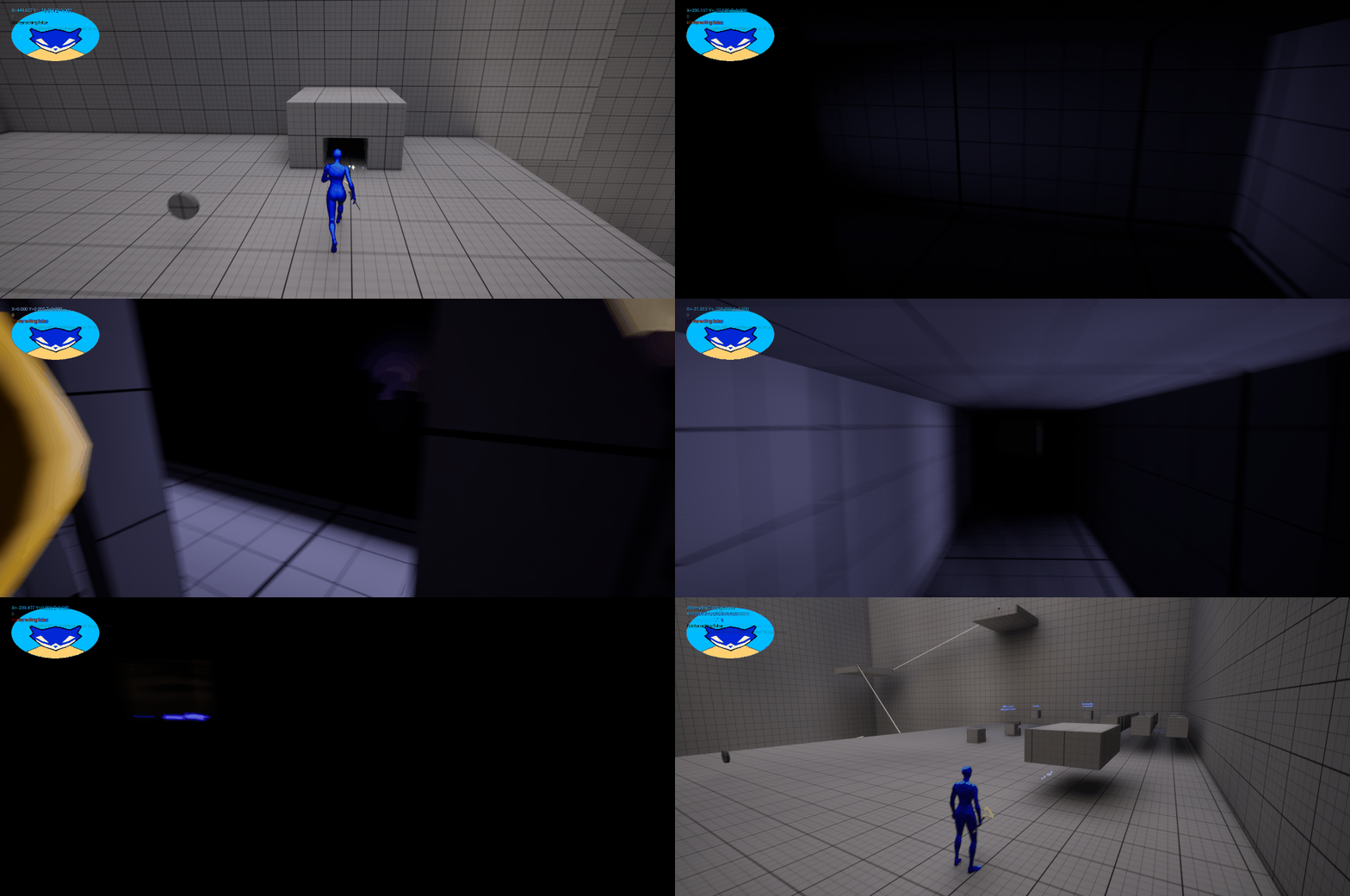
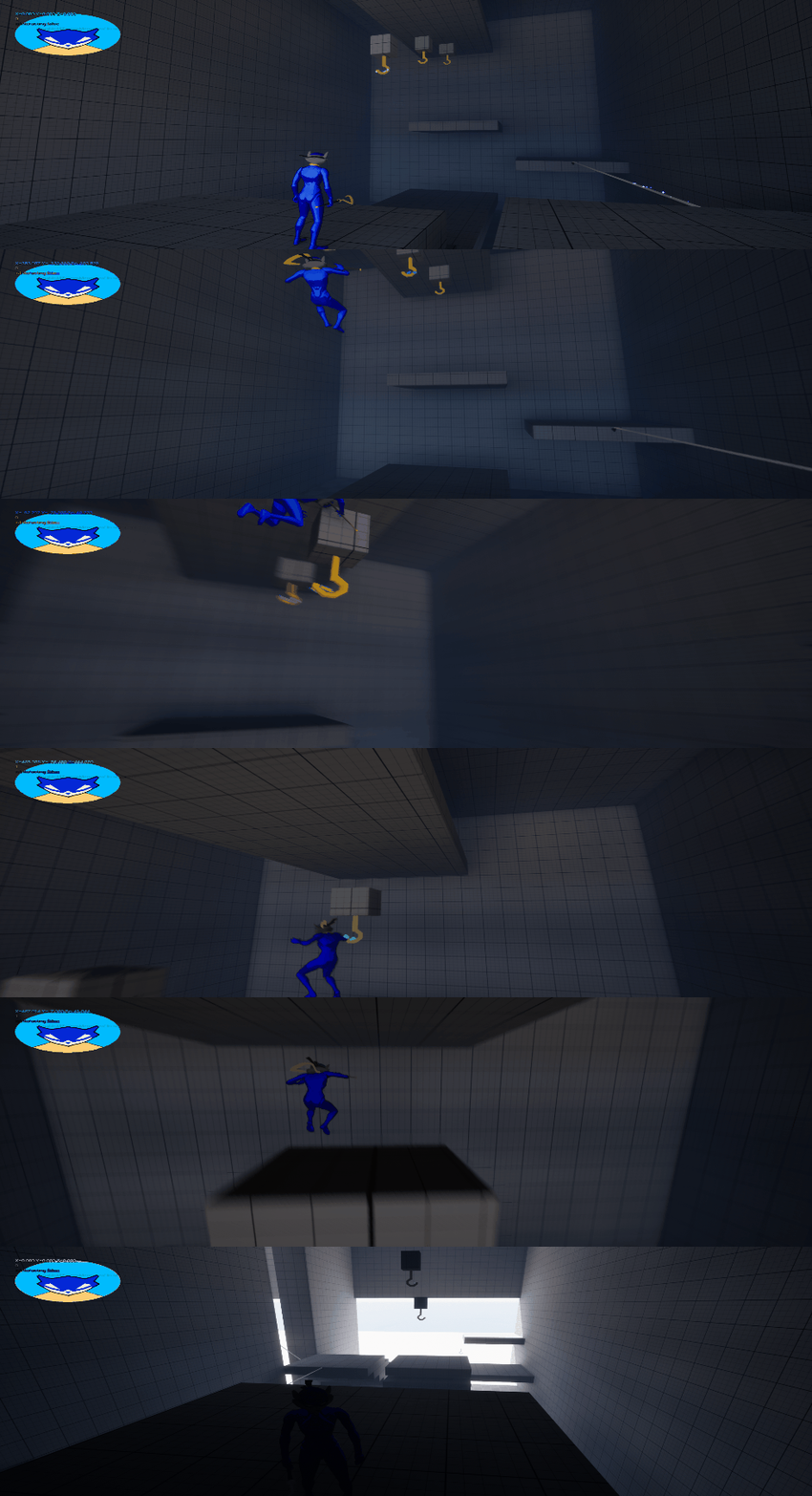
I knew moving forward that several other mechanics (ie, Climb-Pipes, ledge-shimmies, melee expansion, etc.) could be made simply by molding the mechanics I've already finished to fit different use-cases. Since those things wouldn't (shouldn't) take very much time, I wanted to break up the pattern a little bit and knock out some bigger things. First on that list was Crawlspaces. The Crawlspace itself is just a BP with a box collider, arrow, and StealthAura components. In terms of logic, there's not much; it has the logic for the stealth aura, logic that handles placing multiple overlapping Crawlspaces (winding vents), and logic that, on ending overlap, if the player is no longer meant to crawl, cancels crawl. In the player, I check to make sure the player is actually close enough to the Crawlspace, then we start moving the camera to first-person, switch to a crawling pose/animation, and use the built-in movement component's Crouch feature to shrink the hitbox and slow the player down. Lastly, the player gets teleported inside the Crawlspace's collider and set free. I even wrapped that entire thing up by lunch that day. This meant I had time to jump right into something else: The Binocucom. Honestly, this was really simple. I hand-drew the pieces, or layers, of the binocucom in Krita, imported them into the HUD BP, then animated the pull-out animation, added player-input logic that triggers the animation, and bam! Binocucom! I even went the extra step and added in some logic that gives the player the ability to change the FOV, and animated the visor to make it appear as if it's zooming. To end the week, I wanted to start another big thing: The Swinghooks. On the first day or two, I didn't accomplish much, as I had no clear idea how to approach this. For this week's finale, I added the BP, created a stand-in mesh, and began researching.


Week four
Upfront, this entire week was spent trying to figure out how to do the swing hooks. I had never used Unreal's Physics Constraints before, and at first, I struggled to get my brain wrapped around how they worked. For days, I beat my head against the problem until I realized my mistake; I was trying to simulate physics on the Cane, not the player's character..
Almost immediately after changing this, I began to see improvement; now, instead of just collapsing on overlapping with the Swinghook, the character was at least getting attached to it, though it was NOT behaving in the way I expected. I slept on it one more time and came back the next morning with what would be my final attempt at reworking it. I trimmed the logic down, repositioned the physics constraint (into a different BP, now in the swinghook), and gave it another try. This time, though, it worked! There was no pose or animation yet, so it still looked a little strange, but there was a functional swinghook that at least gave the feel I was looking for! I did a little bit of clean up, added the ability to jump off the Hook, and presto! We have Swinghooks! After this, though, it was time to spend the holidays with the family; Happy New Year!


DEVLOG 1
Below is my Second devlog! Be sure to check it out for a bit more insight on Project Cooper, and subscribe if you don't want to miss future updates!